
Blackhawk Rescue Mission 5 Controls and Keybinds
Blackhawk Rescue Mission 5 (BRM5) is the military open-world game on Roblox from PLATINUM FIVE, group 4668709, and this page lists its PC controls and keybinds from the game's Fandom Controls page, last edited October 17, 2026 at 23:27 UTC, which is October 18, 07:27 UTC+8. The core set: W, A, S, D move, Shift sprints, C crouches and slides, X goes prone, Q and E lean, F interacts, M opens the map, and N toggles night vision. Operation Typhoon (Release 10.0.0, October 17, 2026, 07:00 UTC+8 to October 31, 2026, 22:00 UTC+8) added B for point aiming, hold-F bipod deployment, water keys, and a mobile button layout editor. Helicopter flying is not covered; the wiki's flying guide sits outside the sources for this page, which tracks BRM5 only, not the older BRM games or the film Black Hawk Down.
Direct answer
- Move with W, A, S, D; sprint with Shift; crouch with C (slide during a sprint); go prone with X; lean with held Q or E; Space jumps and vaults.
- New in Release 10.0.0: B toggles point aiming, and holding F auto-deploys the bipod.
- Weapons: mouse buttons fire and aim, R reloads, V cycles fire mode (hold for the safety), T flips the backup sight, PgUp and PgDn adjust zeroing.
- N toggles night vision, M opens the map, held Tab opens the menu, [ and ] work the radio, F8 toggles the HUD.
- In water, hold Shift to descend and Space to ascend; mobile gained a button layout editor in Release 10.0.0.
Advertisement
The keybinds behind BRM5
Blackhawk Rescue Mission 5 (BRM5) is the Roblox military open-world game made by PLATINUM FIVE, verified group 4668709, and its keyboard layout follows the pattern milsim players expect: W, A, S, and D move, held Shift sprints, C crouches and slides mid-sprint, X goes prone, held Q and E lean, and F handles interaction with doors, vehicles, and parachutes. M opens the map, N flips the night vision goggles, and holding Tab opens the menu. Every table on this page is rebuilt from the game's Fandom Controls page, whose last edit landed October 17, 2026 at 23:27 UTC, that is October 18, 07:27 UTC+8, the same morning this page was written.
Two bindings are new. Operation Typhoon, the Release 10.0.0 update live from October 17, 2026, 07:00 UTC+8 to October 31, 2026, 22:00 UTC+8, added B for point aiming and holding F to auto-deploy a bipod, and the rows involved are marked new in 10.0.0 below. The launch badge that rewarded early players, Operation Typhoon Stage One Response, went to 344,428 players within a day of release and has already ended, around October 18, 07:00 UTC+8, with no official cutoff time published. The update still has company: at the 12:30 UTC+8 snapshot on October 18, 2026, the Roblox API showed 23,325 concurrent players.
Gameplay reference
Official 512 icon for Blackhawk Rescue Mission 5, read from the Roblox icons API on October 18, 2026.
Roblox · experience icon · Reviewed 2026-10-18
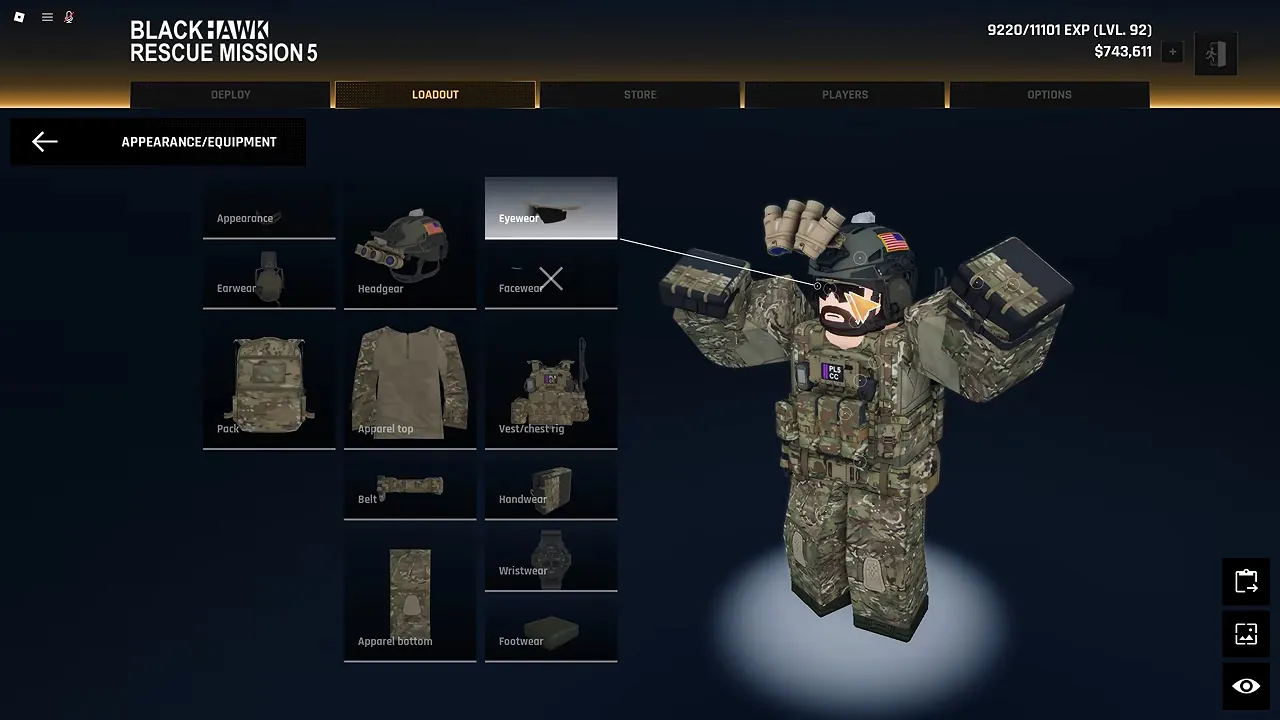
Loadout screen, Appearance / Equipment tab, frame at 5:54 of JayThyKay's Everything New in OPERATION TYPHOON video. Creator footage from JayThyKay, captured October 18, 2026.
JayThyKay · 05:54 · Reviewed 2026-10-18
Movement and stance keys
Movement covers the whole lower body. W, A, S, and D steer; Shift sprints while held and sinks you in water; Space jumps, vaults, and does the opposite work in water and vehicles, surfacing in the former and braking in the latter. C drops into a crouch and, pressed during a sprint, becomes a slide; X goes prone. Leaning sits on held Q and E, and the middle mouse button toggles a combat stance that moves more quietly but cancels sliding.
None of these movement bindings is flagged as new in 10.0.0; the water behavior of Shift and Space is shown in JayThyKay's Operation Typhoon video. The same Fandom page also carries an Xbox set, which this page does not republish, so anything about a controller here would be secondhand.
Movement and stance keybinds, from the Fandom Controls page read October 18, 2026
| Key | What it does |
|---|---|
| W A S D | Move |
| Shift (hold) | Sprint; in water, descend |
| Space | Jump / vault; in water, ascend; in vehicles, hold to brake |
| C | Crouch; slide when pressed during a sprint |
| X | Go prone |
| Q / E (hold) | Lean left / right |
| Mouse middle button | Toggle combat stance: quieter movement, no sliding |
Interaction, interface, and the new B key
Interaction runs through F: it opens doors, boards and leaves vehicles, and deploys the parachute, and since Release 10.0.0, holding it also auto-deploys the weapon's bipod. B is the other new arrival, toggling point aiming. Around them sit the interface keys: M for the map, N for night vision, held Tab for the menu, F8 to switch the HUD on or off, and the square brackets to work the radio and its Active state. P opens the live game editor, but only on private servers you own.
The scroll wheel changes meaning with context: in Openworld it swaps between first and third person, and it adjusts scope magnification when you are aiming. No rebinding option appears anywhere in the sources checked for this page, so if your install shows different keys, what your screen says outranks these tables.
Interaction and interface keybinds, from the Fandom Controls page read October 18, 2026
| Key | What it does |
|---|---|
| F | Interact, open doors, enter and exit vehicles, open parachute |
| F (hold) | Auto-deploy the bipod — new in 10.0.0 |
| B | Point aiming — new in 10.0.0 |
| M | Open the map |
| N | Toggle night vision goggles |
| Tab (hold) | Open the Tab menu |
| F8 | Toggle the HUD |
| P | Live game editor, own private servers only |
| [ / ] | Toggle the radio / Active |
| Scroll wheel | First / third person in Openworld; scope magnification when aiming |
Weapon keys: fire, aim, and the fire-mode toggle
Weapon handling splits across the number row and the mouse. Slots 1 through 4 carry the primary weapon, the secondary weapon, melee, and tools; the left mouse button fires and the right aims. R reloads, V cycles the fire mode and, held instead of tapped, flips the safety on or off, and T swaps to the backup sight on optics that have one. PgUp and PgDn walk the zeroing distance up and down on the scopes that support it, and H plays the weapon inspect animation, or sounds the horn when you are sitting in a vehicle.
The middle-button combat stance belongs to weapons as much as to stance, since it trades sliding for quieter movement, which suits stealth approaches. What B's point aiming adds beyond its name is not described in any source checked here, so this page sticks to the Controls page's wording and does not embellish it.
Weapon keybinds, from the Fandom Controls page read October 18, 2026
| Key | What it does |
|---|---|
| 1 / 2 / 3 / 4 | Primary weapon / secondary weapon / melee / tools |
| Mouse left / right button | Fire / aim |
| R | Reload |
| V | Cycle fire mode; hold to toggle the safety |
| T | Toggle the backup sight |
| PgUp / PgDn | Adjust zeroing distance on supported scopes |
| H | Inspect weapon; horn while in a vehicle |
Advertisement
Vehicle keys
Inside a driver's seat the keyboard narrows. Held Space brakes. Left Alt switches between free look and mouse steering, so you can glance around without turning the vehicle. The turn signals sit on Z, X, and C, for left, hazards, and right, and H sounds the horn. None of these bindings is marked new in 10.0.0.
It is the thinnest table on the page because the Controls page lists few vehicle-specific keys and the update notes add none. What Release 10.0.0 did change about vehicles is mechanical rather than positional: component damage split across body, engine, and rotors; repair and resupply on the ground near spawn; a limited flare count; and extra cash for drivers and pilots when their gunner kills. Those rules are covered on the new weapons and vehicles page of this series rather than repeated here.
Vehicle keybinds, from the Fandom Controls page read October 18, 2026
| Key | What it does |
|---|---|
| Space (hold) | Brake |
| Left Alt | Free look / mouse steering |
| Z / X / C | Left turn signal / hazard lights / right turn signal |
| H | Horn |
Water movement: Shift to sink, Space to surface
Sawang has jungle, rivers and a city, and swimming uses two keys you already use on land. An on-screen prompt in JayThyKay's update video, read from the embedded player on October 18, 2026, says 'To descend in water, hold left shift', and holding Space rises again, so Shift dives and Space surfaces while you swim. No separate swim toggle appears in the sources.
That same video is the one embedded below, since it reads the Release 10.0.0 notes aloud and reaches the water section, which is how the prompt ended up on record. No source describes a stamina cost or a depth limit for swimming, so both stay unconfirmed rather than assumed.
Mobile layout editor, and what this page does not cover
Mobile players gained a layout editor in Release 10.0.0 that can move and resize the touch buttons, and the update added dedicated driving and flying layouts for phone play. Those are the only mobile control facts in the checked sources; nothing describes a default mobile button map, so no mobile table is attempted here.
Helicopter flying is the open gap. The wiki carries a separate article titled Guide: How to fly a helicopter, but it is not part of the behind this page, so no rotorcraft keybinds are republished here and the vehicle table above stops at wheeled controls. Xbox bindings appear on the same Fandom Controls page and are likewise left to it, since the pack tracks the PC set.
Video evidence
Everything New in Operation Typhoon by JayThyKay
JayThyKay, in the October 18, 2026 capture around 12:20 UTC+8. Reads the Release 10.0.0 notes item by item and shows the water controls on screen, including the prompt 'To descend in water, hold left shift', which is this page's evidence for the swimming keys. Its exact upload date was not readable, but the upload landed within a week of the October 17, 2026 launch.
JayThyKay: Everything New in Operation Typhoon
The video embedded above, checked October 18, 2026. Shows the on-screen water prompt for the Shift and Space swim keys.
Sources & methodology
How this keybinds page was checked
Checked October 18, 2026. Every table on this page is rebuilt from the Fandom Controls page for Blackhawk Rescue Mission 5, whose last edit was October 17, 2026 at 23:27 UTC, which is October 18, 07:27 UTC+8, hours before this page was written. The new-in-10.0.0 marks on B and held F, the mobile layout editor, and the driving and flying layouts come from the Fandom Updates - Operation Typhoon release notes read the same day, and the water prompt comes from JayThyKay's update video checked through the embedded player.
Identity and activity figures come from the Roblox games and votes APIs and the virtual-events API read at 12:30 UTC+8 on October 18, 2026: PLATINUM FIVE, group 4668709; 23,325 playing; 637,994,900 visits; 621,749 up votes against 67,974 down; event window October 17, 07:00 UTC+8 to October 31, 22:00 UTC+8. Not covered by these sources: the helicopter flying guide, an Xbox keybind table, a default mobile button map, any key rebinding option, and swim stamina or depth rules. If the Controls page changes after October 18, 2026, its own tables outrank this reproduction.
Source links
Source of all keybind tables on this page; its latest edit was October 17, 2026 at 23:27 UTC (October 18, 07:27 UTC+8).
Release 10.0.0 notes, read October 18, 2026. Source for the new B point aiming, the hold-F bipod, and the mobile layout editor with driving and flying layouts.
Read October 18, 2026 at 12:30 UTC+8. Name, creator, and the activity figures quoted on this page.
Read October 18, 2026. Verified group 4668709 behind BRM5, which says BRM5 is based on PlatinumFive's 2011 to 2016 games and was made with the original BRM developers' permission.
Read October 18, 2026. The Operation Typhoon event window, October 17, 07:00 UTC+8 to October 31, 22:00 UTC+8.
FAQ
What are the default movement keys in Blackhawk Rescue Mission 5?
W, A, S, and D move, Shift sprints, Space jumps or vaults, C crouches and slides during a sprint, X goes prone, and held Q or E leans. The list follows the Fandom Controls page as edited October 17, 2026, read the next morning UTC+8.
What does the B key do in BRM5?
It toggles point aiming. B was added in Release 10.0.0, the Operation Typhoon update, and appears on the Fandom Controls page edited that same week. The sources describe it by name only, with no further detail on how it differs from regular aiming.
How do you deploy a bipod in BRM5?
Hold F. Auto-deploying the bipod on a held F arrived in Release 10.0.0; F on its own still interacts, opens doors, and covers vehicle entry and parachutes.
How do you swim and dive underwater in BRM5?
Hold left Shift to descend and hold Space to ascend. The descend prompt appears on screen in JayThyKay's Operation Typhoon video, and the Space rule mirrors it for surfacing. Stamina and depth limits are not described in the sources.
Which key turns on night vision in Blackhawk Rescue Mission 5?
N. Other one-press keys: M for the map, F8 to toggle the HUD, and the square brackets for the radio and its Active state.
Where are the helicopter controls?
Not on this page. The wiki's Guide: How to fly a helicopter is a separate article that was not among the sources for this page, so helicopter keybinds are left to it rather than half-copied here.
Related Pages
Advertisement