
Castlevania: Belmont's Curse Black Screen
Castlevania: Belmont's Curse Black Screen help is dated. Checked October 16, 2026, applies to Ver 1.1.3, and the fixes are still evolving. KONAMI posted Ver 1.1.3 on October 16, 2026 at 19:50 UTC+8 and said it improves the black screen and the launch failure on high-refresh-rate monitors. KONAMI also said some environments can still fail and that work on the bug will continue. If the game is current and the screen is still black, KONAMI's temporary workaround is to set the Windows refresh rate below 60 Hz, turn V-Sync on inside the game, quit, and restore the refresh rate. After that, do not combine V-Sync off with an unlimited frame rate. Steps from Steam discussions are unofficial. A third-party mod exists and is mentioned once, without a link or install steps.
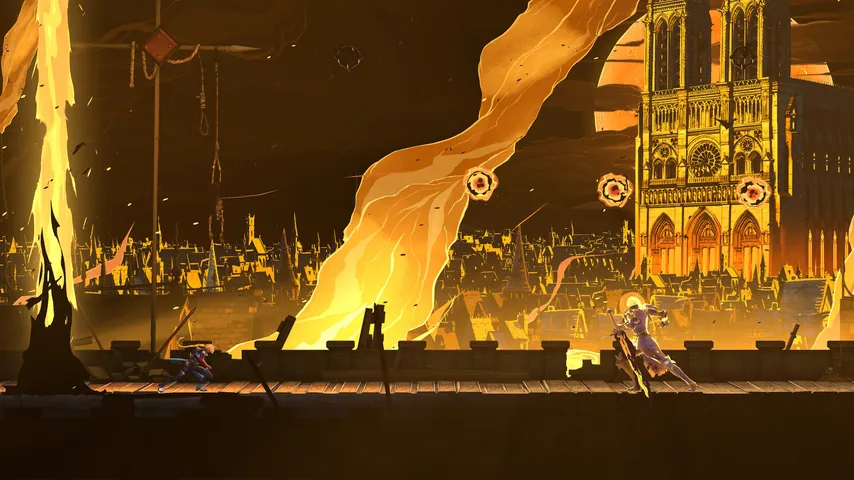
Direct answer
- Update Castlevania: Belmont's Curse to Ver 1.1.3, posted October 16, 2026 at 19:50 UTC+8. KONAMI says the patch improves the high-refresh-rate black screen, that some setups can still fail, and that fixes will continue.
- Checked October 16, 2026, applies to Ver 1.1.3. If the screen is still black, use KONAMI's workaround: set the Windows refresh rate below 60 Hz, not at 60, start the game, turn V-Sync on in Video Settings, quit, then restore the refresh rate.
- After that, do not run with V-Sync off and an unlimited frame rate at the same time.
- Driver caps, a 120 Hz drop, and deleting PLAYERPREFS.sav come from Steam discussions and are unofficial. Use KONAMI's refresh-rate steps before any of those player reports.
Advertisement
KONAMI's temporary black-screen workaround
| Step | Where | What to change |
|---|---|---|
| 1 | Windows Settings, System, Display, Advanced display | Set the refresh rate below 60 Hz. The note is explicit that 60 itself is not low enough. |
| 2 | Launch Castlevania: Belmont's Curse | Reach the title screen and open Settings. |
| 3 | Video Settings | Turn V-Sync on, then close the game. |
| 4 | Windows display settings again | Restore the refresh rate you actually want. On later launches, do not combine V-Sync off with an unlimited frame rate. |
Gameplay reference
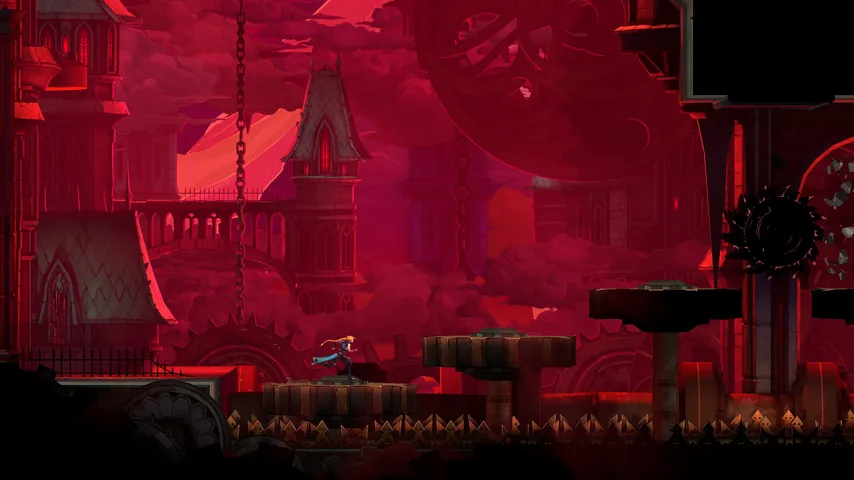
Official Steam screenshot of the game running. Rose crosses stone platforms in a red-lit castle exterior. Giant gears, hanging chains, and a circular saw fill the right side, with spikes below. This is what a launched session looks like in the store art. It is not a photograph of the black-screen bug, and it is not a settings menu.
Steam store screenshot · Reviewed 2026-10-16
Patch first: Ver 1.1.3 on October 16
The black screen on Castlevania: Belmont's Curse is a launch bug that KONAMI has already patched once and has not declared finished. The Steam news post for Ver 1.1.3 is timestamped October 16, 2026 at 19:50 UTC+8. The note says the update improves the failure on high-refresh-rate displays, where the game could open to a black screen or fail to start. It also says some environments may still see the problem and that fixes will continue. Checked October 16, 2026, applies to Ver 1.1.3. If a later patch exists when you read this, the official note outranks the workaround below.
Update the game in Steam before you change the desktop refresh rate. A machine still on the launch build is not the case KONAMI's 1.1.3 note is describing. PC Gamer's review opened on this bug and reported a black screen above 120 Hz, plus frame-rate drops during cutscenes. Those cutscene drops are a separate observation. This page does not add frame-time numbers PC Gamer did not print. PlayGround.ru and PC Gamer are also the sources tying the Mixed Steam review pile to this launch failure. At 21:40 UTC+8 on October 16 the review API showed 2,006 positive reviews and 963 negative reviews, about 68 percent positive, with 14,502 players online.
The official workaround, including the part people skip
KONAMI's Known Issues page is the temporary procedure for a game that is already on 1.1.3 and still will not show a picture. The refresh rate has to go below 60 Hz. Setting it to 60 and hoping is not the step they wrote. From that lowered desktop, launch to the title screen, open Settings, open Video Settings, turn V-Sync on, and quit. Then put the desktop refresh rate back. The order matters because the game has to be able to reach the video menu once, with the desktop slow enough to get there.
The lasting restriction is the combination KONAMI tells you not to use. V-Sync off plus an unlimited frame rate is the pair that brings the failure back. A high refresh rate by itself, after V-Sync has been saved in the config, is the state the workaround is trying to restore. The minimum PC spec on the store page is a separate sentence: Windows 11 64-bit only, an i5-8400 or better, 16 GB of memory, a GTX 1650, and 10 GB of disk, with an i5-10400 and an RTX 3060 recommended. Meeting that spec is not the black-screen fix, and missing it is not what KONAMI named as the cause.
- Check: Confirm the installed build is Ver 1.1.3 before editing the desktop refresh rate.
- Check: Drop the refresh rate below 60 Hz, not merely to 60.
- Check: Turn V-Sync on inside Video Settings, quit, then restore the desktop rate.
- Check: Leave the unlimited-frame-rate option off while V-Sync is off.
Unofficial steps players posted on Steam
If KONAMI's procedure does not produce a picture, the next reports are player posts, not a second official patch. Two Steam discussions checked on October 16, 2026 collect them. One thread gathers display workarounds. The other names the settings file and the verify-files button. Everything in the table below is unofficial. It can conflict with a later official build. Try the Known Issues page first.
The settings-file reset is the step with the most collateral damage, so it is last. The path the discussion prints is C:\Users\<your user name>\AppData\LocalLow\KONAMI\Castlevania Belmont's Curse\PLAYERPREFS.sav. Copy the file somewhere else before you delete it. Deleting it drops the video choices the workaround just saved, which means the V-Sync toggle may have to be done again. Verifying the install from the Steam properties pane checks the game files. It does not change the Windows refresh rate.
Unofficial player workarounds from Steam discussions
| Idea | What players reported | Label |
|---|---|---|
| NVIDIA frame cap | In the NVIDIA Control Panel, Manage 3D settings, Program Settings, add this game. Set a max frame rate of 60 or 144 and turn vertical sync on. Change it for this program, not as a global default. | Unofficial |
| AMD sync | In AMD Software, turn Enhanced Sync off and set Wait for Vertical Refresh to Always On. | Unofficial |
| Stop at 120 Hz | Some players reached the title screen after dropping only to 120 Hz. On a ROG Ally, the same idea is the quick menu set to 120 Hz or lower. | Unofficial |
| Reset the config | Back up, then delete PLAYERPREFS.sav under AppData\LocalLow\KONAMI\Castlevania Belmont's Curse\. | Unofficial |
| Verify files | In Steam, right-click the game, open Properties, Installed Files, and verify the integrity of the tool cache. | Unofficial player step, using Steam's own verify button |
Advertisement
Steam Deck UI and the Arabic-language save
KONAMI's Known Issues page lists two problems that are not the desktop black screen. On Steam Deck, some interface elements can draw off the edge of the screen. KONAMI says that layout bug is under investigation. It is not fixed by the refresh-rate procedure, and this page does not have a Deck button sequence that KONAMI did not publish.
The save bug is a language bug. When the system language is Arabic, or certain other languages KONAMI groups with it, returning to the title from a save can leave the continue option unable to load. KONAMI's workaround is to switch the system language to English, or to another language that loads, and then open the save. It is a system-language change, not a file delete. The black-screen refresh steps do not repair it, and the language change does not repair a black screen.
What this page will not walk you through
A third-party mod on Nexus Mods also exists for the black screen; this page does not link it or give install steps.
The supported path remains Ver 1.1.3, then KONAMI's refresh-rate procedure, then the labeled unofficial reports if the picture is still missing.
PC Gamer's cutscene stutter is noted so it is not confused with the launch bug. The review saw frames drop during cutscenes and saw a black screen when the display was above 120 Hz. No further performance table was verified, so none is printed. The store screenshot on this page is the game running in a red gear-filled castle. It is proof of what a successful launch looks like in the press kit. It is not a photograph of the bug.
Video evidence
Launch and black-screen video by Android iOS Data Recovery
Uploaded October 15, 2026, before Ver 1.1.3. in a capture around 21:45 UTC+8 on October 16, 2026. A third-party repair video. Where it disagrees with KONAMI's Known Issues page or with the 1.1.3 note, follow KONAMI. Not a Glint playtest.
Sources & methodology
Which notes were official on October 16
The patch line comes from KONAMI's Steam news post for app 4231820, Ver 1.1.3, October 16, 2026 at 19:50 UTC+8. The four-step workaround, the warning against V-Sync off plus an unlimited frame rate, the Steam Deck UI note, and the Arabic-language save note come from KONAMI's Known Issues page, checked the same day. PC Gamer's review is the source for the above-120 Hz report and for the cutscene frame drops. The review snapshot of 2,006 positive and 963 negative reviews, Mixed, and 14,502 current players, is the Steam API read at 21:40 UTC+8 on October 16.
The unofficial table is the Steam discussion roundup checked October 16, 2026. One thread collects the driver caps, the 120 Hz reports, and the ROG Ally quick-menu note. The other thread is the source of the PLAYERPREFS.sav path and of the verify-files step. Those posts are players describing what worked on their PCs. They are not a KONAMI patch note, and a later 1.1.x build can make any of them unnecessary or wrong. The repair video embedded here was uploaded October 15, 2026, before Ver 1.1.3. Treat it as a demand signal and as a pre-patch walkthrough. Where it disagrees with KONAMI's Known Issues page, follow KONAMI.
Fixes are still evolving. When KONAMI posts the next build, the sentence Checked October 16, 2026, applies to Ver 1.1.3 on this page is the line that expires first. Player posts and the October 15 repair video can lag that build.
Source links
Official temporary workaround for the V-Sync-off and unlimited-frame launch failure, the Steam Deck UI note, and the Arabic-language save note. Checked October 16, 2026.
Ver 1.1.3 announcement, October 16, 2026 at 19:50 UTC+8. Improves the high-refresh-rate black screen. KONAMI says some environments may still be affected.
Unofficial player reports: driver frame caps, 120 Hz, ROG Ally. Checked October 16, 2026. Not a KONAMI patch note.
Unofficial. PLAYERPREFS.sav path and the verify-files step. Checked October 16, 2026.
Reports a black screen above 120 Hz and frame drops during cutscenes. No extra performance table was taken from this review.
Store page for app 4231820. Standard edition $29.99 on the US price payload. PC minimum spec is separate from the black-screen workaround. Screenshot checked October 16, 2026.
FAQ
What is the official fix for the black screen?
Update to Ver 1.1.3, posted October 16, 2026 at 19:50 UTC+8. If the screen is still black, set the Windows refresh rate below 60 Hz, turn V-Sync on in the game's Video Settings, quit, and restore the refresh rate. Do not combine V-Sync off with an unlimited frame rate. Checked October 16, 2026, applies to Ver 1.1.3. KONAMI says some PCs can still fail and that fixes will continue.
Does 60 Hz count as below 60?
No. KONAMI's Known Issues page says the temporary desktop rate has to be lower than 60 Hz. Setting the panel to 60 is not the step they wrote.
Are the NVIDIA and AMD steps official?
No. They are unofficial reports from Steam discussions checked October 16, 2026. Use KONAMI's refresh-rate procedure first. The driver caps, the 120 Hz reports, the ROG Ally quick menu, and the PLAYERPREFS.sav delete are player workarounds.
Where is PLAYERPREFS.sav?
The Steam discussion prints C:\Users\<your user name>\AppData\LocalLow\KONAMI\Castlevania Belmont's Curse\PLAYERPREFS.sav. Back the file up before deleting it. This reset is unofficial, and it can wipe the V-Sync choice the official workaround just saved.
The game launches, but a save will not continue. Is that the black screen?
Not if the picture is up. KONAMI says that when the system language is Arabic, or some other languages, a save can fail to continue after a return to the title. Switch the system language to English or another language that loads. Steam Deck UI drawing off-screen is a third issue, and KONAMI says it is still under investigation.
Related Pages
Advertisement