
How to Claim Enshrouded Early Access Rewards
Checked October 22, 2026 (UTC+8) against game version 1.0.0.3. How the Early Access thank-you decorations are claimed in Enshrouded 1.0, what is in the reward chest, who can place the items, and what to try if Redeem Add-Ons gives you nothing.
Direct answer
- If you owned Enshrouded during Early Access, load any world in 1.0, press Esc and choose Redeem Add-Ons. You get a First Flameborn Reward Items chest: place it, open it and claim the three decorations inside, the Logo Symbol Projector, the Tome of the First Flameborn and the Emblem Of The Flameborn. You can redeem them as many times as you like, and if the rewards were missing, update to Hotfix 1.0.0.3 (October 21, 2026), which made them redeemable for some players who did not have them.
Advertisement
What is in the First Flameborn Reward Items chest
| Item | In-game category | Stack size | Matches this item in Keen's launch FAQ |
|---|---|---|---|
| Logo Symbol Projector | Illumination | 50 | "the signal you turn on when you need a hero"; it projects the Enshrouded logo |
| Tome of the First Flameborn | Construction Tools | 20 | the tome with the large "E" used as the Early Access logo |
| Emblem Of The Flameborn | Construction Tools | 20 | the statue Keen describes as over 4 meters high |
Gameplay reference
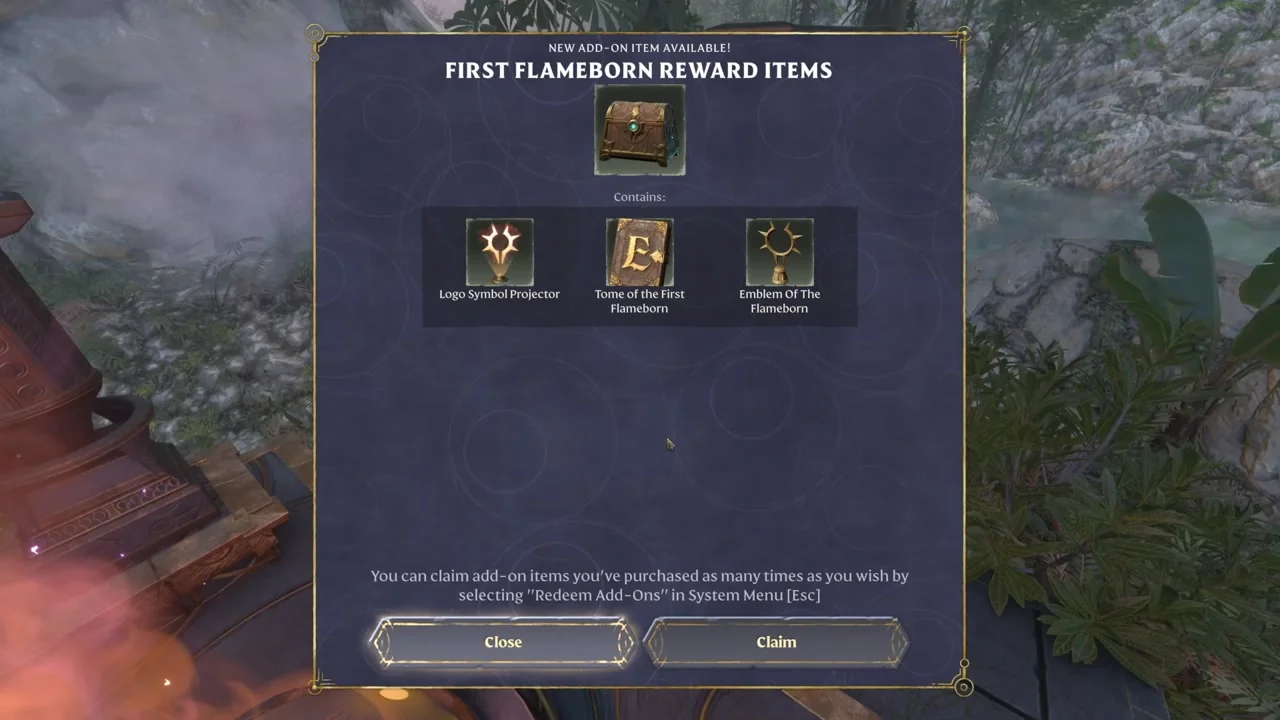
WoW Quests (YouTube), uploaded October 15, 2026, at 0:01. The claim window says add-on items can be claimed again from Redeem Add-Ons in the system menu.
WoW Quests (YouTube) · Reviewed 2026-10-22
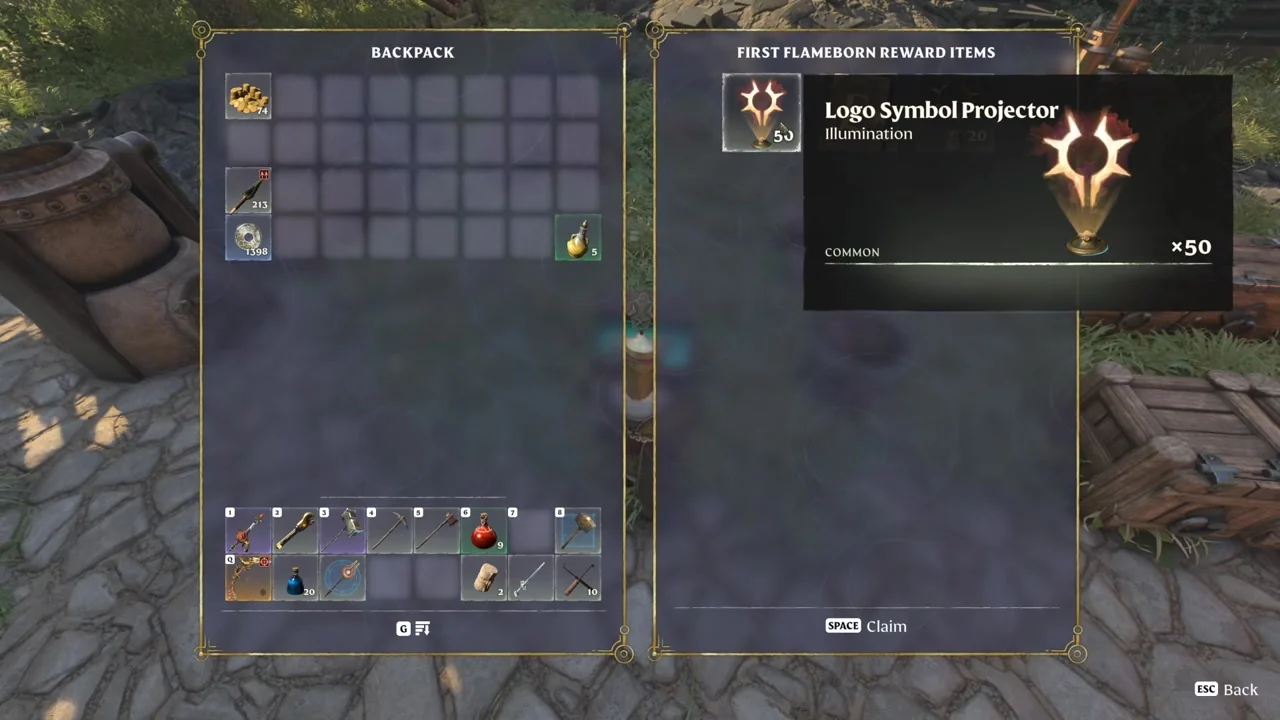
WoW Quests (YouTube), uploaded October 15, 2026, at 0:21. The placed chest opened next to the backpack, with the Space prompt to claim.
WoW Quests (YouTube) · Reviewed 2026-10-22
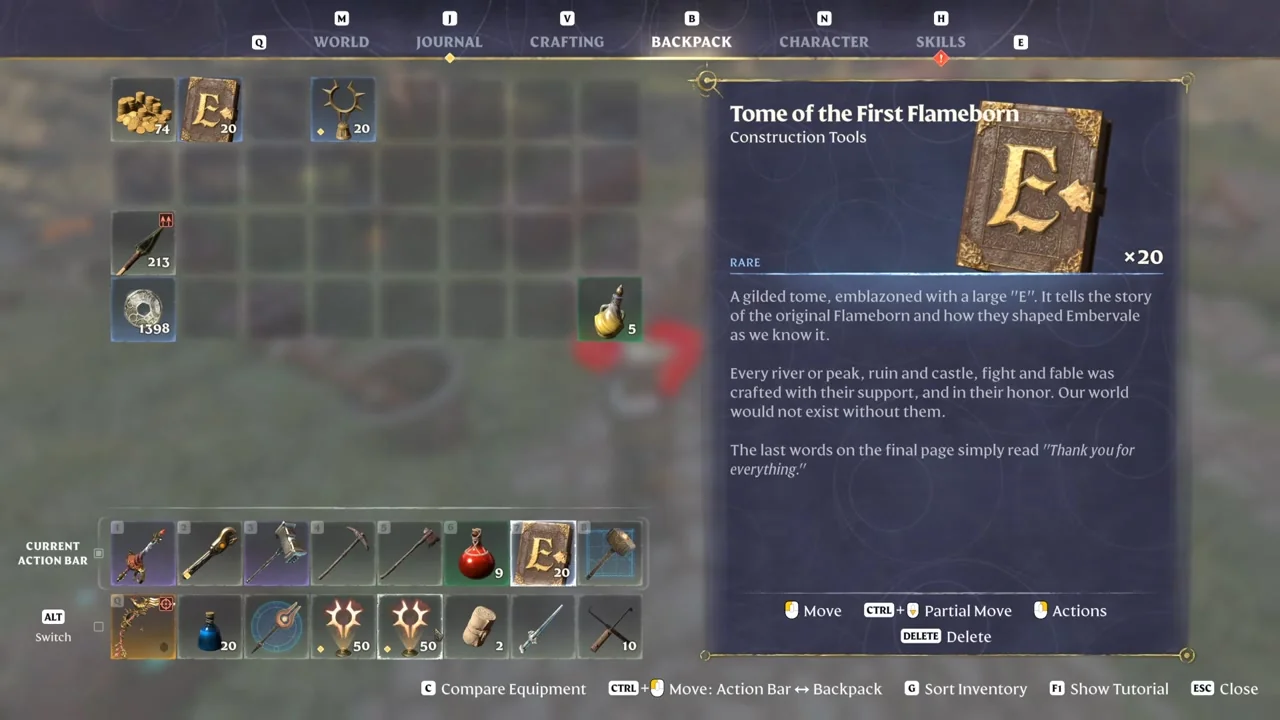
WoW Quests (YouTube), uploaded October 15, 2026, at 0:41. Tooltip for the Tome of the First Flameborn.
WoW Quests (YouTube) · Reviewed 2026-10-22
How to claim the rewards
1. Start or load any world in version 1.0. A "New add-on item available!" window may open on its own; press Claim.
2. Otherwise press Esc and select Redeem Add-Ons in the system menu.
3. A First Flameborn Reward Items chest goes into your backpack. It is a furniture item, so place it like any other chest.
4. Open the chest and claim the three stacks into your backpack (Space on keyboard in the WoW Quests footage from October 15).
5. Place the decorations inside your base. The Emblem needs a lot of open space; in the same footage the game shows "Not enough free space" when it does not fit.
Who can get and place them
- Check: The three props are exclusive to Early Access players and are claimed from Redeem Add-Ons in the escape menu.
- Check: Players who bought after Early Access cannot claim or place them, but an Early Access player can visit their world and place them there. The later buyer can remove the items, just not place them again.
- Check: Claims are unlimited: the in-game window says you can claim add-on items as many times as you wish, so placing copies in a friend's world costs you nothing.
- Check: They are decorations only. Keen describes them as decorative props for your base.
Advertisement
If Redeem Add-Ons gives you nothing
- Check: Update first. Hotfix 1.0.0.3 (version 1273043, October 21, 2026) made the rewards redeemable in the pause menu for some users who were missing them.
- Check: Make sure you are on version 1.0. Before the October 15 release the reward option was not in the menu.
- Check: Unconfirmed (Steam Community player, October 22, 2026): an owner who activated the game with a CD key reported still having no reward after Hotfix 1.0.0.3. Keen has not said whether key activations are affected.
- Check: If the option is still missing, contact Keen support through the official request form instead of buying the game again or deleting saves.
Early Access rewards versus Twitch drops
Twitch drops are a separate system. Keen's Twitch page says you claim earned drops in your Twitch inventory first; they then appear in the Twitch drops menu inside the game, from where you claim them to a character, unless the backpack is full. Cosmetic drops can be claimed again on other characters. Keen's launch FAQ adds that every Twitch drop can also be found in normal gameplay.
Unconfirmed (Steam Community player, October 16, 2026): one player wrote that Twitch rewards are claimed the same repeatable way as the Early Access chest. Keen's Twitch page has not been updated with 1.0 menu names.
Video evidence
WoW Quests — First Flameborn reward items in 1.0
WoW Quests (YouTube), uploaded October 15, 2026. Shows the claim window, the reward chest, the three items and placing them in a base.
WoW Quests (YouTube): First Flameborn Reward Items Enshrouded 1.0
WoW Quests (YouTube), uploaded October 15, 2026: frames at 0:01, 0:21, 0:25 and 0:41 show the claim window, chest and item names.
Sources & methodology
Keen Games, published October 14, 2026: Early Access props, Redeem Add-Ons, sharing rules, unlimited claims.
Keen Games, published October 21, 2026: missing Early Access rewards now redeemable for some users.
enshrouded.tools fan database (game files): Logo Symbol Projector, stack size 50.
enshrouded.tools fan database (game files): Tome of the First Flameborn, stack size 20.
enshrouded.tools fan database (game files): Emblem Of The Flameborn, stack size 20.
Steam Community thread, posted October 16, 2026: the chest is placed, opened and can be redeemed again.
Steam Community thread, posted October 15, 2026: the option only appears in 1.0.
Steam Community thread, posted October 22, 2026: CD-key owner still missing the reward after 1.0.0.3.
Keen Twitch Drops page: how Twitch drops are claimed in game.
Keen support contact form.
FAQ
I bought Early Access but never played. Do I still get the rewards?
Keen ties the rewards to Early Access players and does not mention playtime. It has not published separate rules for owners who never launched the game, so check Redeem Add-Ons after updating to 1.0.0.3.
Can I get the rewards if I buy Enshrouded now?
Not from your own menu. A friend who played in Early Access can place the items in your world, and you can keep or remove them.
Can PS5 players get the Early Access rewards?
Early Access was a Steam PC release, and the PS5 version arrived with 1.0. Keen has not said anything about these items on PS5.
What happens if I delete the reward items?
Nothing is lost. Open Redeem Add-Ons again to get a new chest.
Related Pages
Advertisement