
Transport Fever 3Updated 2026-10-01
Transport Fever 3 Beginner Guide
Transport Fever 3 Beginner Guide: choose a mode, define a first route, and inspect passengers, cargo, costs, and bottlenecks.
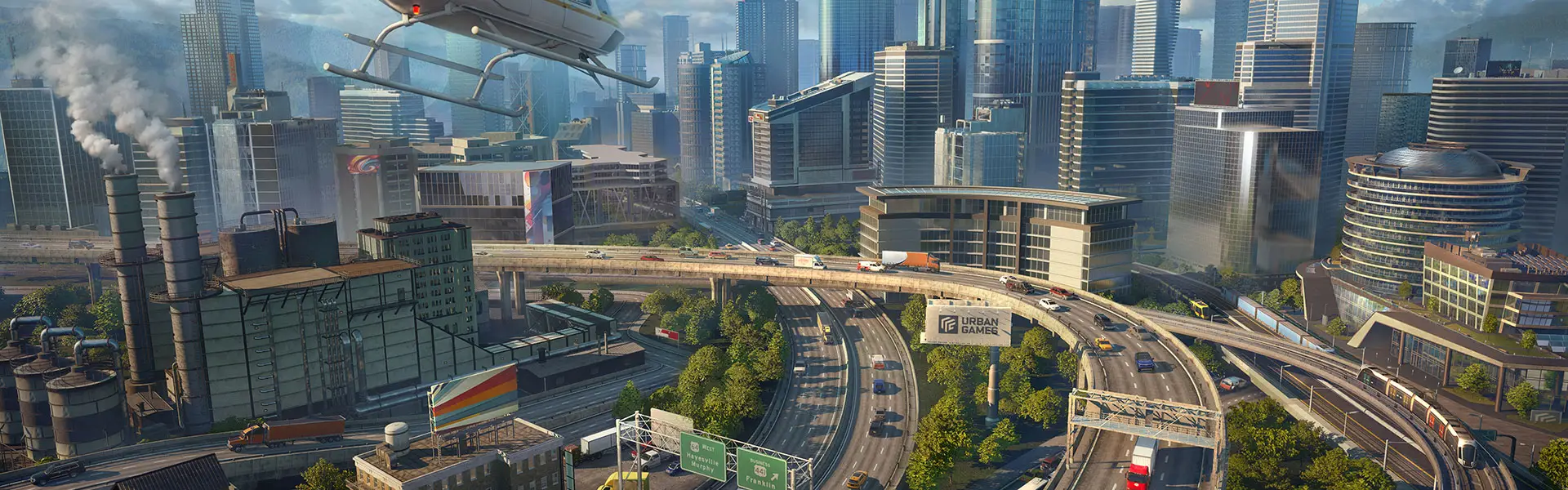
Transport Fever 3 Guide: choose a mode, plan passenger and cargo networks, and check maps, mods, vehicles, and system requirements.
8 connected guides · Updated 2026-10-01
Transport Fever 3 is a transport-management game developed by Urban Games and published by Paradox Interactive, released on September 29, 2026. This Glint Games hub organizes eight decisions you may face when starting a session or investigating a network. Begin with the actual question: choosing a mode, connecting a cargo chain, comparing transport types, reading a campaign objective, planning a map, checking a mod, or preparing a supported computer. Each article combines published feature information with a practical worksheet for that task. The planning suggestions are editorial guidance, not a claim that Glint Games has completed every mission or measured a profitable opening route.
The official overview describes Campaign, Tycoon, and Sandbox, with road, rail, sea, and air links serving towns and industries. Those systems overlap, but they answer different questions. A creative build may communicate a good design without proving its management costs; a vehicle trailer may illustrate equipment without proving which choice fits your map. Use the guide list below as a menu rather than a required reading order. Follow the unresolved part of your session, keep its conditions visible, and return to the game with one specific observation to make. These pages link to the official overview and Steam listing so you can check the source behind feature and hardware details.
Advertisement
Transport Fever 3 Beginner Guide: choose a mode, define a first route, and inspect passengers, cargo, costs, and bottlenecks.
Transport Fever 3 Industries and Cargo: map a supply chain, inspect transfers and demand, and understand published industry features.
Transport Fever 3 Vehicles and Transport: compare road, rail, water, and air roles before choosing equipment for your network.
Transport Fever 3 Campaign Guide: read historical mission objectives, plan checkpoints, and keep a clear record of your progress.
Transport Fever 3 Sandbox and Difficulty: choose creative or management goals, understand economy-off play, and compare session settings.
Transport Fever 3 Maps and Environment: compare climates, plan corridors, and use terrain and data-layer questions to inspect a network.
Transport Fever 3 Mods and Mod Browser: check versions, dependencies, platform support, and a safe troubleshooting baseline before changing a save.
Transport Fever 3 System Requirements: compare official Windows, Linux, and Apple Silicon profiles, SSD space, memory, and AVX2 support.
Advertisement
The beginner guide helps turn a broad first session into a specific transport question. State the mode, the intended journey, and the observation that would show progress. Keep a note of the map and version so later advice has context. Then inspect the whole connection before treating expansion as the solution. This is useful when the number of transport types feels overwhelming: a narrowly defined task gives you a reason to examine one industry, one transfer, or one destination, and a way to tell whether the next change addressed the original problem.
Industries and cargo separates production, movement, storage, and receiving demand. Write the chain in order and find the first handoff where the expected material fails to appear or move onward. The published industry features include optional inputs and demand-driven expansion, but exact recipes and thresholds need current evidence. A worksheet keeps those unknowns explicit instead of filling them with assumptions from a previous game. Use this article when a busy terminal, a new warehouse, or additional vehicles have made the scene more complicated without explaining why delivery still stops.
Vehicles and transport starts with origin access, traffic type, transfers, and destination access. Only then does it frame the comparison between equipment and infrastructure. The publisher describes more than 275 vehicles, but variety is not a universal ranking. Keep availability, capacities, and operating figures tied to the current information in your session. The article also treats queues as an observation to investigate rather than an automatic instruction to buy more vehicles. It is a practical reading path when you know what needs to move but have not yet settled how the complete arrangement should work.
The campaign guide helps separate the mission requirement from optional experiments and attractive construction ideas. Turn the current instruction into a checklist, work backward from its completion condition, and preserve recognizable checkpoints through your platform's available save options. A checkpoint should explain what changed and what remains unresolved. This hub does not invent mission names, hidden rewards, or a completed historical walkthrough. Choose this article when progress has stopped and you need to decide whether the obstacle is an unclear objective, an incomplete connection, or a change that did not address the required condition.
Sandbox and difficulty distinguishes creative construction from company-management evidence. Economy-off play can support a design experiment, while a Tycoon session raises separate questions about vehicles, infrastructure, maintenance, loans, and contracts. Record the settings actually shown on your platform rather than relying on a guessed universal preset. When comparing sessions, note every relevant difference and keep the conclusion within those conditions. This article is useful if you want to prototype a layout, choose what a session should teach you, or explain a shared build without accidentally presenting it as a guaranteed profitable strategy.
Maps and environment connects a map brief with access, terrain, climate, lighting, and data-layer questions. The official overview names four climates and describes dynamic weather, day/night lighting, and editing tools. These features provide context for a design; they do not establish a weather penalty or a difficulty ranking on their own. Ask what a traffic or delivery layer should help you inspect, then compare the display with the route you planned. Follow this page when an attractive landscape is making it harder to explain where a journey starts, transfers, and ends.
The mods guide begins with the requirements of the individual entry: game version, platform support, dependencies, and instructions. The in-game browser and cross-platform feature announcement do not guarantee that every mod is compatible everywhere. Preserve an identifiable baseline and test one change against one question using the supported options for your setup. If something fails, describe the exact combination and symptom. This article is most useful before installing a collection or seeking help for a modified vehicle, industry, terminal, or map, when a clear record can prevent a compatibility question from being mistaken for a general transport rule.
System requirements keeps Windows, Linux, and Apple Silicon specifications separate. Compare the operating system, exact processor, installed RAM, graphics hardware, and available SSD space with one official profile at a time. AVX2 and named hardware examples should not disappear inside a vague product-family description. Mac requirements have their own memory and processor conditions, including the exclusion of Intel Macs. The article reports published support information without a frame-rate promise or purchase recommendation. Use it to prepare a factual checklist before installation or to establish the setup behind a performance question.
Glint Games is an independent fan resource. It is not affiliated with the game developer, Roblox, YouTube, or referenced guide publishers.
Browse another game hub