
Pet Store Tycoon Beginner Guide
Build a first-store session around one understandable care and service loop. Finish current prompts, inspect pets and shelves, serve the visible customer task and choose an affordable next change. The priorities below are editorial organization advice, not a tested optimal build.
Advertisement
Verify the shop and write an opening-session goal
Pet Store Tycoon by already arrived studios is the Roblox experience linked below, root place 118845698633260 and universe 10282097014. Its developer description checked October 14 identifies pet care, shelves, customer service, unlocking animals, expansion, decoration and cooperative play. These are the activity categories behind this guide. Exact prices, timers and earning rates are not supplied by that description.
Give the session a small goal: complete the current opening instructions and describe one full cycle of work in the shop you already have. Record what the current prompt asks, which action you perform and what changes afterward. A complete, understandable cycle provides a baseline for choosing the next purchase. It is more actionable than trying to reproduce the size of a creator's developed store before you recognize how your own store works.
Gameplay reference
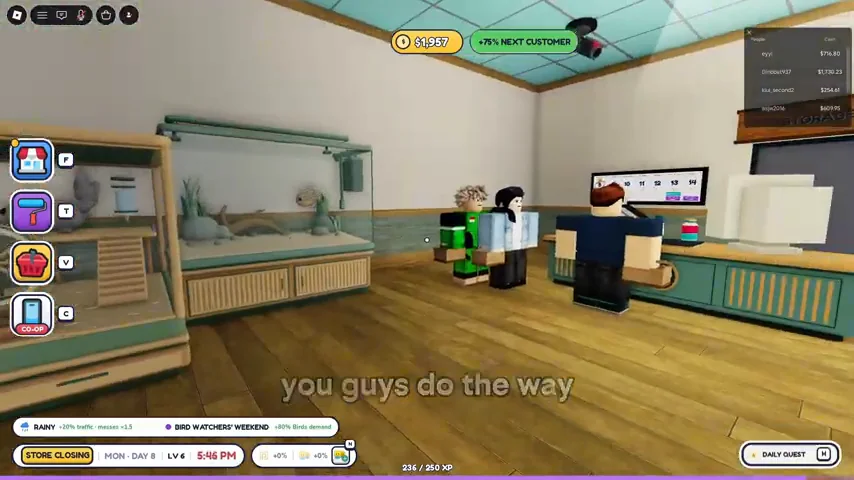
The checkout area in Ricoko Tutorial & Showcase’s October 7 recording. Use it to recognize the service area and nearby pet enclosure when inspecting your own opening shop.
Ricoko Tutorial & Showcase · 00:35 · Reviewed 2026-10-14
Use the current tutorial as a sequence of checks
Follow the instructions displayed on your device and watch each response before moving to another plan. A creator recording can help you recognize a menu, while the current prompt tells you which object or action is relevant now. Check whether an opening interaction needs a confirmation or completion step. Seeing the same object as the video does not establish that your own task is at the same stage.
Write a quick transition note when the prompt changes. Identify the action that finished and the new instruction that appeared. If an action seems ineffective, inspect the intended target, active menu and any prerequisite rather than immediately buying something else. These checks keep the tutorial understandable and preserve the cash you might later need for a specific purchase. They do not add a hidden tutorial rule or claim a personally verified opening route.
Make pet care visible one animal at a time
The official activity list includes feeding, cleaning and playing with pets. Visit an existing animal and read the interaction available for it. Perform the indicated task and inspect the result before moving on. Keep the animal identity and task together so several similar-looking interactions do not become one vague assumption that all care is done. Use the live state when deciding whether another action is currently needed.
Choose an order you can remember, such as a consistent pass through the areas you already recognize. That is a planning aid, not a claim that the game requires a particular care order. If an interaction asks for an item or condition, read that requirement directly. Do not infer a hidden happiness threshold or universal care interval from a failed click. The separate Pet Care article supplies a more detailed inspection and handoff checklist.
Include shelves and customers in the cycle
After inspecting care, examine the shelf and service work shown by the current shop. The developer identifies both categories, so the store loop is broader than visiting animals alone. Read the intended shelf or customer prompt before acting. Check that the relevant state changed afterward; moving toward a shelf or watching someone enter does not by itself confirm the associated task is complete.
If several parts of the shop need attention, name the backlog using the visible state. Pick one unfinished task and record its completion before changing another part of the operation. This gives the next purchase a reason: it should address work you can describe. The guide does not claim a best task order, an income multiplier or an optimal staffing arrangement, and does not pretend that one sequence is always most profitable.
Choose a purchase by purpose and current requirement
Before unlocking an animal or expanding an area, describe what the change should allow you to do. Inspect the price, prerequisites and available space or access conditions shown by the game. Keep eligibility separate from affordability. Having enough cash for a displayed amount does not prove that every other condition has been met, and a new area is not useful merely because a creator unlocked it quickly.
Decide how much cash you want to leave available for other work and compare the purchase with that budget. The Money Guide shows the arithmetic without supplying game prices. A smaller step can be a better learning choice when it lets you observe the new task clearly. If the purpose remains uncertain, keep the existing cycle working and collect more information rather than turning every available unlock into an immediate purchase obligation.
Advertisement
Review what expansion adds to the existing loop
After the change, walk through the existing store again and identify what is newly available. Check the animal, area or interaction that motivated the purchase. Distinguish obtaining an unlock from being able to use it as intended. The visible result is what lets you decide whether the purchase addressed the earlier problem or created another requirement that now deserves its own plan.
Note any additional attention the larger shop requires. Expansion can change how much of the care, shelf and service work you need to inspect, even when the menu looks familiar. Use a before-and-after task list rather than an unverified earnings forecast. If the new operation is harder to understand, focus the next session on completing a coherent pass through that store instead of buying another addition to cover up the unfinished work.
Coordinate friends with a clear handoff
The developer invites friends to run a store together. Agree on the work each person intends to inspect, using the actual permissions and roles shown by the current game. Suggested responsibilities such as pet care, shelf checks and service are editorial divisions of attention, not claims about fixed employee classes or guarantees that every player can authorize every purchase.
Handoffs should describe completed work, remaining tasks and the planned purchase. This keeps two players from treating the same cash as available for different goals or repeating an interaction without checking its result. When someone leaves, have the remaining player inspect the current state rather than assuming the task is still complete because it was mentioned earlier. A shared checklist can be useful without turning cooperation into an unsupported profit or efficiency promise.
Save a baseline before pursuing another growth goal
End with a brief store card: opening instructions completed, current animals and areas, outstanding care or service, cash reserve and next intended purchase. Use quantities and prices from your own current screen. The card does not need an exact earning rate to be useful. It needs a task that remains understandable when you reopen the shop and a requirement you can check before spending.
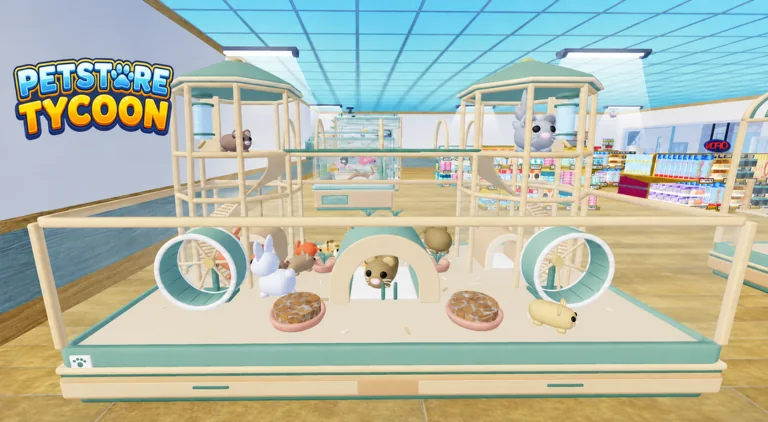
The creator videos linked below provide recorded shop context, including the original package's October 7 version label. They do not establish that today's menu, costs or code redemption are unchanged. Refresh the current prompts after updates and use the Money or Pet Care page according to the blocker you actually have. The hero uses the official Roblox image gallery; the gameplay reference retains the original recording date and source.
Video evidence
Ricoko: Pet Store Tycoon opening shop context
Original source package records an October 7, 2026 version label and links the exact experience. Useful for interface recognition, not a current income benchmark.
Sources & methodology
Correct experience by already arrived studios. Identity and developer description rechecked through the Roblox Games API on October 14, 2026; detailed community mechanics are separately attributed.
Commonly owned specialist site and the original source package for the dated creator links. Glint supplies a distinct planning and checklist presentation rather than mirroring its pages.
Official promotional image from the Pet Store Tycoon Roblox gallery by already arrived studios, checked October 14, 2026. The gameplay figure is a limited, attributed still from the linked Ricoko Tutorial & Showcase recording at 00:35; original game art and recording rights remain with their owners.
FAQ
Which Pet Store Tycoon is covered?
The already arrived studios experience at root place 118845698633260. The official link distinguishes it from other pet-shop games.
What should my first purchase be?
No universal purchase order is tested here. Complete an understandable existing loop, identify a specific need and compare a current offer with prerequisites and your chosen reserve.
Are pet timers and income rates supplied?
No. The developer confirms activity categories, while this guide supplies an original planning method. Read current amounts and task states in the game.
Related Pages
Advertisement