
Pet Store Tycoon Money Guide
Plan one purchase from your own balance, reserve and current price. The budget table explains the arithmetic, then connects it to care, stocking, service and expansion. All numerical examples are illustrative inputs rather than actual game offers or earning predictions.
Advertisement
Begin with a specific shop decision
Name the purchase and the practical change it should enable. The official Pet Store Tycoon description identifies caring for animals, stocking, serving customers, unlocking new animals and expanding the store. It does not give a complete price or income table. The money question here is therefore which current offer fits your existing work and available cash, rather than which unverified trick promises instant wealth.
Keep the purchase beside the problem it addresses. You might need a new task or area available, or you might still be learning how to keep the existing loop organized. Read the current offer before making the plan. If the intended benefit is unclear, record that uncertainty as something to inspect. A price alone cannot establish that a purchase is useful, and a larger store shown in a recording cannot establish what your next step should cost.
Gameplay reference
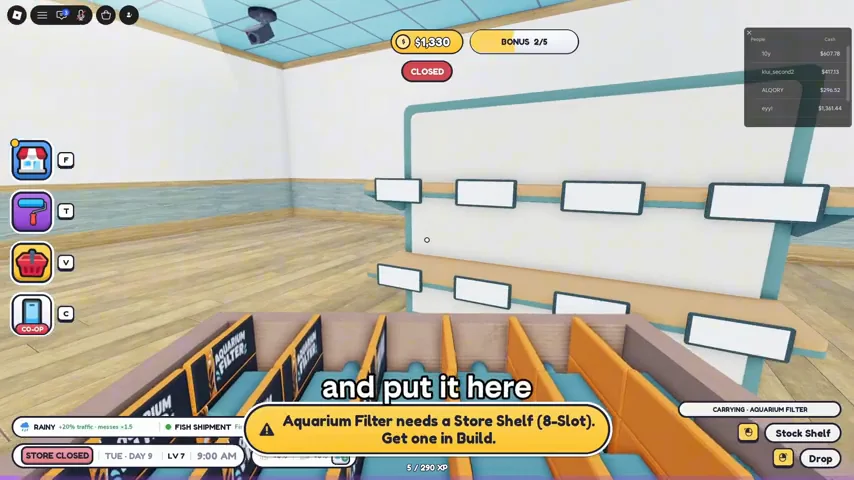
A shelf-restocking prompt in Ricoko Tutorial & Showcase’s October 7 recording. This illustrates a supply interruption; historical cash and stock values are not an earnings forecast.
Ricoko Tutorial & Showcase · 01:20 · Reviewed 2026-10-14
Calculate spendable cash after a chosen reserve
Use three inputs: current cash, the reserve you want to protect and the current purchase price. Spendable cash is max(0, cash minus reserve). The remaining shortfall is max(0, price minus spendable cash). The reserve is your planning choice for other work, not a game-imposed requirement or a hidden formula. Copy the actual balance and offer from the current screen when applying this arithmetic.
For an illustrative example, cash of 600 and a reserve of 200 leave 400 available. An example purchase priced at 550 remains 150 short. These figures are invented inputs, not a Pet Store Tycoon price or earning rate. If the reserve exceeds the balance, the spendable amount is zero. The difference tells you what remains needed under your chosen budget; it does not tell you how quickly the game will award it.
Purchase budget worksheet
| Input or result | Definition | Illustrative example |
|---|---|---|
| Current cash | Read your present balance | 600 |
| Protected reserve | Your chosen buffer | 200 |
| Spendable | max(0, cash - reserve) | 400 |
| Current price | Read the selected offer | 550 |
| Shortfall | max(0, price - spendable) | 150 |
Keep price and prerequisites in separate columns
Inspect the offer for a required unlock, space, access condition or earlier task if the current game displays one. Record that condition separately from price. A budget sufficient for the amount shown does not prove every prerequisite is satisfied. Likewise, a locked option might need an earlier step rather than more cash. Read the visible reason before deciding which type of progress the next session should target.
Add a confirmation column containing the result expected after purchase. An animal should become available through the relevant current surface; an area should be accessible for the purpose you named. These are the kinds of observations to inspect, not promises about the exact mechanics of every offer. Verify the response before repeating a transaction. A screen transition that you did not understand deserves checking before another spend.
Protect commitments from competing purchases
Keep a short list of goals already assigned to the balance. The same cash cannot simultaneously be the reserve for one plan and the full budget for another. If a new offer becomes more useful, revise the old commitment explicitly. That prevents a series of individually affordable purchases from consuming the amount you meant to leave for the task that mattered most.
In a shared store, discuss the intended purchase with the people currently working on it and use the permissions shown by the game. Several players may have different plans based on the same visible shop state. A clear handoff identifies the goal, current price and reserve, without assuming that suggested roles provide particular purchase rights. This is coordination advice, not a claim that the game enforces a budget system or guarantees a cooperative income advantage.
Inspect the operating loop before funding expansion
Walk through the current pets, shelves and customer tasks and name any unfinished work. The developer identifies these activity categories, so they are useful checks before judging how much more operation you want to add. If the current loop is confusing, another unlock may create more tasks without making the earlier ones clearer. Find the actual backlog instead of treating expansion as an automatic solution to any slow session.
Describe what will change after the proposed purchase. Which interaction or task becomes available, and how will you confirm it is working? Keep that question attached to the price. The guide does not assume every task consumes supplies at a particular rate or pays a fixed amount. Where the current game supplies such a requirement, copy it directly. Where it does not, keep the budget as a purchase plan rather than inventing operating expenses.
Advertisement
Compare progress from your own session record
If you want to compare two ways of organizing work, use similar observation periods and record the current balance before and after each. Include purchases or other visible changes that affect the result. A balance that rises does not by itself identify which activity produced the change, and a purchase can lower the balance during an otherwise useful session. Preserve that context when reviewing the numbers.
Keep the comparison modest. One session does not establish a universal income rate, and a developed creator store is not an equal comparison with your opening shop. Record what you did and what the game visibly credited. If no reliable causal comparison exists, use the exact purchase shortfall as the target instead of predicting a completion time. The linked footage helps recognize the shop interface without acting as a financial forecast for your account.
Verify the purchase through the task it enables
Immediately before confirmation, reread the selected offer, price and prerequisites. Afterward, inspect the new item or area and the resulting balance. Keep a note of what changed. If the intended result appears in inventory but needs another interaction before use, check that next instruction rather than assuming the transaction failed. Avoid making a second identical purchase until the first result is understood.
Return to the care, shelf and service cycle and observe the difference the addition made. Does the task you wanted now exist, and can you recognize its completion? If the change introduced another requirement, add that requirement as a new row instead of concealing it in an optimistic claim about growth. A useful purchase review identifies the benefit and the work added, with no claim of personally measured profitability.
Update the plan when an offer changes
Save the selected price and requirement with their date, then refresh them at the next session before using the old calculation. Preserve earlier values only as historical context. The arithmetic remains valid when the inputs are current, but an old price silently inserted into the worksheet can make a precise result misleading. Recheck the chosen reserve too, because your priorities may have changed with the shop.
Use the beginner guide for a first operating cycle and Pet Care for a detailed inspection pass. The money worksheet complements those tasks rather than replacing them with a promised fastest route. Its examples demonstrate cash allocation only; your actual current offer, prerequisites and credited balance are the information needed to apply the method.
Video evidence
Pet Store Tycoon recorded shop and purchase context
Ricoko recording from the existing source package, with an October 7 version label. It provides interface context, not a verified rate or current price list.
CHALLS: shop walkthrough comparison
Dated creator footage used to compare visible shop tasks. Changes after the recording should be checked in the current game.
Sources & methodology
Correct experience by already arrived studios. Identity and developer description rechecked through the Roblox Games API on October 14, 2026; detailed community mechanics are separately attributed.
Commonly owned specialist site and the original source package for the dated creator links. Glint supplies a distinct planning and checklist presentation rather than mirroring its pages.
Official promotional image from the Pet Store Tycoon Roblox gallery by already arrived studios, checked October 14, 2026. The gameplay figure is a limited, attributed still from the linked Ricoko Tutorial & Showcase recording at 01:20; original game art and recording rights remain with their owners.
FAQ
How is the purchase shortfall calculated?
Spendable cash = max(0, current cash - chosen reserve). Shortfall = max(0, current price - spendable cash). Use values from your own game.
Does the worksheet predict how long earning will take?
No. It calculates the gap from entered amounts and contains no game earning rate or price feed.
What if I can afford an offer but it is locked?
Inspect the displayed prerequisite separately from the price. An affordable amount does not establish that an unlock, earlier task or access condition is satisfied.
Related Pages
Advertisement