
Pet Store Tycoon Pet Care
Make a care pass readable: identify the animal, read the current interaction, observe its result and record unfinished work. Then check shelves and customers so the inspection covers the store rather than only the pets.
Advertisement
Define the care pass from confirmed activities
The official Pet Store Tycoon description checked October 14 names feeding, cleaning and playing with pets, alongside stocking shelves, serving customers, unlocking animals and expanding. Those confirmed categories establish what this checklist covers. They do not supply universal happiness thresholds, care timers, production rates or exact task prices. Read the current state whenever an interaction needs a specific amount or action.
Choose a consistent route through the shop you already operate so you can remember what you inspected. The order is an editorial organization choice, not a requirement imposed by the game. A useful pass identifies each current target, the task shown and evidence of completion. That record makes unfinished work visible before you add another animal or area and prevents a familiar-looking shop from becoming a reason to assume everything is already done.
Gameplay reference
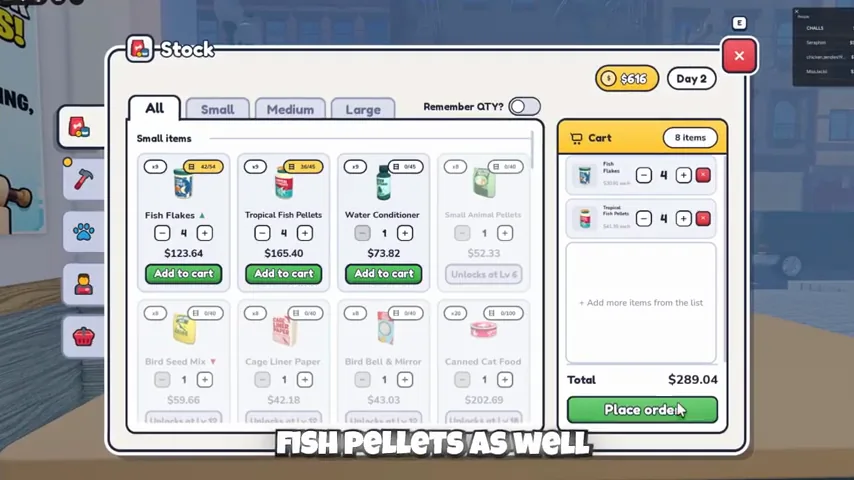
The Stock menu in CHALLS’s October 6 walkthrough shows food and care-related supplies. Check your current pets, stock and unlocked products before ordering; displayed prices are historical.
CHALLS · 01:00 · Reviewed 2026-10-14
Identify the animal and the interaction
Start with the pet you intend to inspect and read the action currently available. Keep the target and task together: feeding one animal does not establish that a different animal's interaction has changed. If the screen presents a particular prompt, follow that prompt rather than using a creator's old menu position as the instruction. Several nearby targets can make a correct input act on something different from your plan.
After acting, inspect the response before moving to the next target. Check whether the visible state changed, another instruction appeared or the original task remains available. A care animation is useful context but not automatically complete evidence for every associated action. Where the task refers to a requirement, read it directly. Avoid filling a gap in the interface with a guessed hidden statistic or a universal cooldown copied from another pet-shop game.
Review feeding, cleaning and play separately
Use one row for each activity that currently applies to the animal. Feeding, cleaning and play belong to the developer's activity list, but a completed interaction in one category does not by itself prove the other categories are complete. Record the current response for each relevant task and leave unavailable or unnecessary actions clearly distinguished from unfinished ones. The game state determines what needs attention now.
If the same task appears to repeat without an understandable result, narrow the observation to that target and interaction. Verify any current prerequisite, menu confirmation or selected supply before repeating the action. Change one part of the attempt and observe what happens. This produces a useful description of the problem without requiring an invented care schedule, a speculative happiness formula or buying a replacement pet to avoid understanding the original interaction.
Include shelves and service in the same inspection
A pet-care pass is part of operating the store, not the whole operation. Check the shelf tasks and customer interactions shown by the current shop. Identify the intended shelf and the action requested, then inspect its resulting state. For a customer, read what the current interaction asks before deciding that arrival or movement through the shop means the service is complete.
Record a visible backlog by category: care, shelf or service. Pick an unfinished task you can actually describe and confirm its result before changing the inspection route. This keeps the next purchase connected to work you have observed. This guide does not claim a universal priority order or an income multiplier for completing one category first. The checklist supplies organization and completion checks rather than a claim that every shop must operate on an identical timer.
Care and store inspection card
| Area | What to record | Completion check |
|---|---|---|
| Pet feeding | Animal and current prompt | Visible response changed |
| Cleaning | Target and current task | Task result understood |
| Play | Interaction offered now | Result checked for that animal |
| Shelves | Intended shelf and task | Shelf state inspected |
| Customers | Current service prompt | Credited or changed result |
| New area | Unlock and intended use | Area or interaction usable |
Troubleshoot an unchanged task before repeating it
Describe the observation in three parts: the prompt, action and response. Check that the target was correct and a menu did not retain focus. Inspect any displayed condition that must be met before the action can complete. If a required item or unlock is missing, identify that requirement explicitly. Repeating an input without changing the condition is unlikely to tell you which part of the interaction is unfinished.
When reporting a confusing result, include the exact experience link, task text and relevant current screenshot or description. Keep the source date beside an older instruction used for comparison. The useful issue is what the game shows and how the result differs, not a guess that a hidden statistic must have reached a certain value. The guide does not infer mechanics from a failed click alone.
Advertisement
Share work with a completion handoff
Cooperative shop play is confirmed by the developer, but use the permissions and roles shown by the game when organizing it. Suggested responsibilities such as inspecting pets, checking shelves and serving current customers are ways to divide attention. They are not fixed employee classes or evidence that every participant can make every store change. Discuss a proposed purchase before treating a shared goal as permission to spend.
A useful handoff names the target inspected, result confirmed and task still pending. The next person can then check the current state instead of blindly repeating the route. If someone leaves halfway through a pass, keep incomplete rows visible. This avoids two people reporting that care is done while each assumed the other finished the missing animal. The value is a clear working record, with no promise of a particular cooperative earnings bonus.
Recheck the care load after an unlock
Before expansion, identify the work the new animal or area is expected to add and inspect the current price and prerequisites. Afterward, visit the addition and verify its usable interaction. An unlock, an accessible area and a completed care task are separate observations. Make the new target part of the checklist only once you understand how it fits the present operation.
Run another pass through the store and compare the unfinished work with the earlier baseline. A larger shop can require more attention even when the existing route remains familiar. If the pass becomes difficult to track, clarify the route or handoff before adding another purchase. Use the Money Guide to compare a cost with your chosen reserve. The care checklist itself does not invent recurring expenses or claim an optimal number of animals.
Finish with a current, readable task list
Save the targets checked, visible tasks left and the next proposed change. Record the date and the current offer if a purchase is part of the plan. On the next login, inspect the state again rather than assuming yesterday's completion applies indefinitely. A dated creator recording can help recognize the interface while the current task decides which action is relevant now.
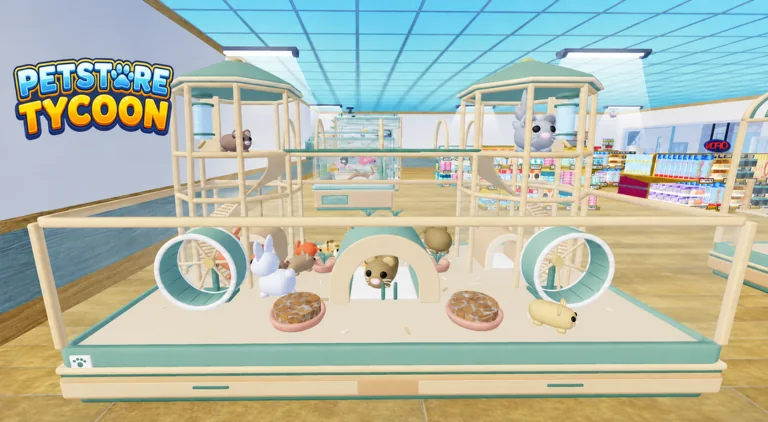
The beginner guide provides the broader opening loop, and the money worksheet calculates a purchase gap from your own values. This page gives the detailed inspection and handoff method that connects them. The sources establish activity categories and recorded shop context; Glint's organization advice does not claim personal testing, exact happiness thresholds or a guaranteed income gain. The official hero and attributed gameplay reference provide visual context. Check the layout and prompts in your current shop.
Video evidence
CHALLS: Pet Store Tycoon care and shop context
Creator walkthrough from the original October package. Compare current animal, shelf and customer prompts rather than treating the recording as a timer or income test.
Sources & methodology
Correct experience by already arrived studios. Identity and developer description rechecked through the Roblox Games API on October 14, 2026; detailed community mechanics are separately attributed.
Commonly owned specialist site and the original source package for the dated creator links. Glint supplies a distinct planning and checklist presentation rather than mirroring its pages.
Official promotional image from the Pet Store Tycoon Roblox gallery by already arrived studios, checked October 14, 2026. The gameplay figure is a limited, attributed still from the linked CHALLS recording at 01:00; original game art and recording rights remain with their owners.
FAQ
How often must every pet be cared for?
No universal timer is verified here. Read each current animal interaction and use the visible state to decide what needs attention.
Does completing feeding also complete play or cleaning?
Do not infer that from one action. Inspect the current tasks and results for the animal in each relevant category.
How should friends hand off unfinished work?
Name the target, task, result already checked and work still pending, using the permissions shown by the current game.
Related Pages
Advertisement